How to create a company profile and labels on Google Maps using Google my Business?
Google My Business is a tool in which information is briefly combined with Google Analytics, Google addresses. It also allows you to create a new type of Google Posts and track their effectiveness. In addition, this service allows a company to be present in Google search results (namely, in special blocks: on maps, in company information) even in the absence of a website. This article will discuss how you can confirm your rights to manage an organization in Google Business.
If you own a local business, then your company must be present on Google Maps. This tool also allows you to expand the semantic core of your site (if you have one) using regional queries.
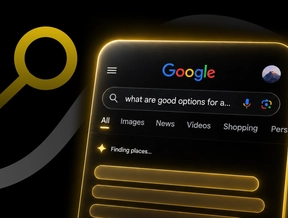
The company (provided it is correctly registered in Google Business) is displayed in the search results as a SNIPET, which contains the following data: 
⦿ location;
⦿ phone numbers;
⦿ work schedule;
⦿ route;
⦿ rating (the number of stars indicates the ratio of positive and negative customer reviews).
Google My Business - How to properly interest customers with a modern Google profile?
Google My Business is a completely free method of increasing the number of visits to the site from Google Maps, calls, directly from the organization's map presentation, this is a direct local promotion of your business. It includes the following actions:
►► adding and updating information about the organization;
►► indicating phone numbers, providing a mini-description of the company;
►► entering information about the goods and services provided;
►► adding photos and videos (company logo, photos of employees, premises, equipment, directions);
►► news updates and promotions that will be displayed on the map along with the company;
►► creating a website within the Google My Business service through a special editor;
►► promotion of not only corporate websites, but also pages on social networks;
►► monitoring statistics;
►► lists of products that customers were also searching for;
►► viewing data from linked accounts on Youtube;
►► connection to the Google MyBusiness API interface;
►► creating Ads Express campaigns if the organization does not have advertising in Google Ads;
►► determining the purposes for which potential clients will contact the organization;
►► delineation of the display area;
►► language selection, development of query topics;
►► writing ads, headlines;
►► payment of a fee (the service is not free);
►► adding high-quality photos and thematic videos directly on the business card page;
►► using the free Hangouts service to demonstrate workshops and products or record videos of satisfied customers;
►► using hashtags, managing them in Google Business Manager Tag;
►► adding a virtual tour;
►► development of unique videos with high;
►► conducting conversations with clients;
►► working with a large number of offices and branches for which individual identifiers are issued.
Website promotion using Google Maps - Doing business properly
Google My Business is especially relevant if you run an offline business. These are mainly chain stores and retail outlets, where customers most often enter search queries by geographical area. Namely, this service gives priority to those organizations that are closest. To successfully start promoting your business locally, you should fill out your profile correctly. Over time, you will also have to work with customer reviews.
Google Maps allows you to list your business information even if you don't have your own office. For example, a man who repairs computers and phones in a specific area of the city can automatically appear in search results for related queries by entering his address (without the apartment number).
How to create a company profile?
The registration procedure and posting information on the service is considered free. The only caveat is that you have to go through the verification process, that is, confirm the specified data. But even this is simple and clear to do!
To create a label in Google Maps and confirm registration, you should follow these steps: 
▸◂ go to this address and click the "Add business information to Google" button;
▸◂ add a company if it was not marked on the maps (you must fill out a special form with a set of certain steps);
▸◂ if there is no permanent physical address, you must check the box “Yes” or “No”;
▸◂ confirm the data via phone call, email, postcard, video call, or video recording.
Additionally, instant confirmation methods are offered. To understand this, it is worth considering the following examples:
⦿ If the website verification in Google Search Console is successful, your profile may be verified immediately.
⦿ If you have already verified your site through Search Console (before creating or claiming your organization profile), the "Verify" button will not appear. In this case, you can edit your profile and communicate with customers.
If your website was verified through Search Console after you added or claimed your profile, you should click the “Verify” button. You will then be able to edit your profile and communicate with customers.
If an eligible company manages at least 10 sub-affiliate profiles, it can also bulk verify those profiles.